> ## Documentation Index
> Fetch the complete documentation index at: https://docs.recaseai.com/llms.txt
> Use this file to discover all available pages before exploring further.
# Quickstart
> Build and deploy your first workflow in under 5 minutes.
If you haven't already created an account, go to [https://app.recaseai.com](https://app.recaseai.com) and sign up!
## Step 1: Initialize an example Recase project
```zsh theme={null}
mkdir first-workflow && cd first-workflow
npx recaseai init
```
* This will prompt you to log in if you haven't already done so.
* A `workflow.ts` file will be created. This is where you'll write your workflow.
You can define any environment variables in `.env`, and install packages using `npm i ` as normal!
## Step 2: Edit `workflow.ts`
This file is where you'll write your workflow.
```js theme={null}
import recase from "recaseai";
export default recase.workflow({
id: "Say Hello",
inputs: {
firstName: {
name: "First Name",
type: "string",
},
},
run: async ({ inputs }: any) => {
recase.log(`Hello ${inputs.firstName}!`);
},
});
```
There are 3 parts to your workflow:
1. `id`: This is the name of your workflow. It will be displayed in the Recase Dashboard and used when you run the workflow.
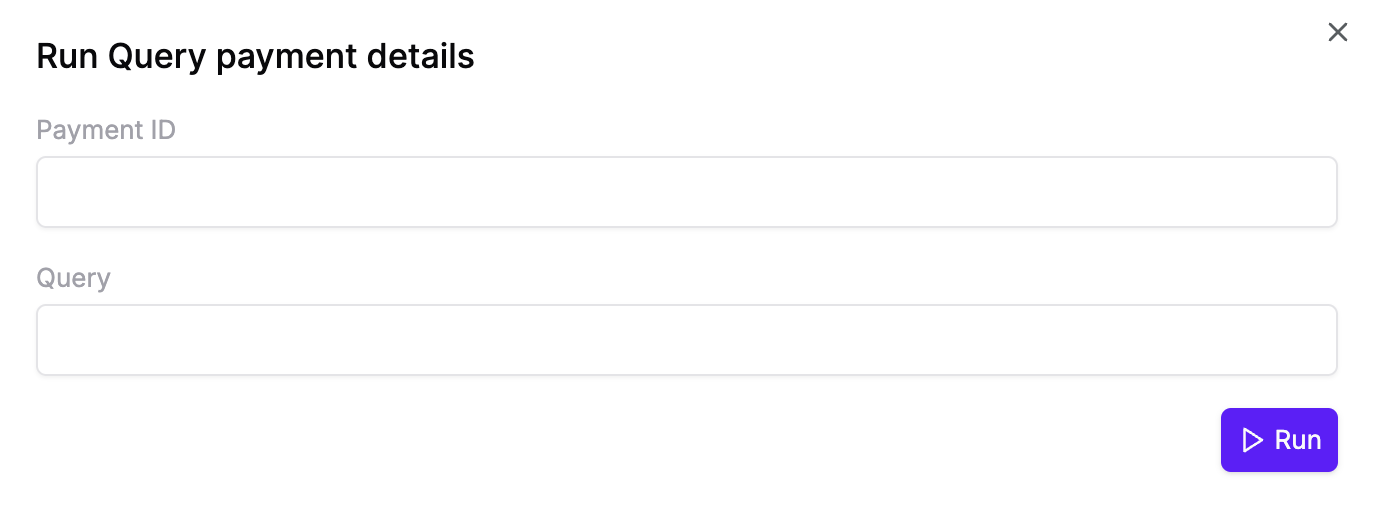
2. `inputs`: These are the inputs to your workflow when it runs. A UI will be generated for these on the Recase web app.
3. `run`: This is where you define the logic of your workflow. You can use [helper modules](/src/modules/recase-llm) from the recaseai package such as `log`, `llm`, `llmStructured`, and more!
## Step 3: Deploy
```zsh theme={null}
npx recaseai deploy --file workflow.ts
```
Deploying your workflow is as simple as running the `deploy` command and specifying the path to the file to deploy.
## Step 4: Running your workflow
Workflows can be run in 3 ways:
1. On the [Recase Dashboard](https://app.recaseai.com)
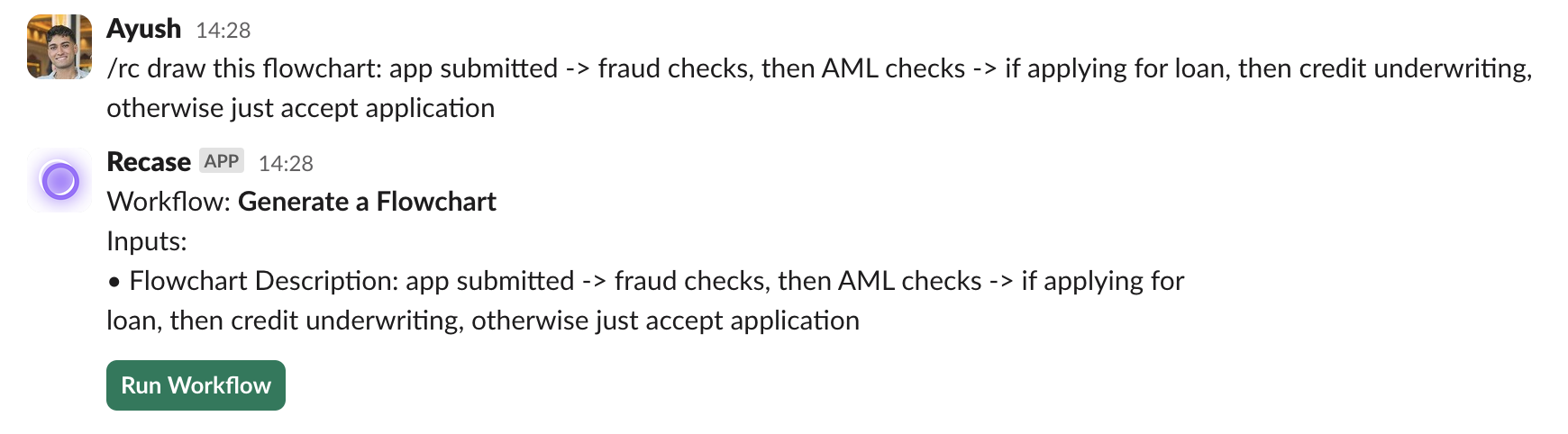
 2. Invoked via natural language on [Slack](/src/getting-started/running-on-slack).
 3. Through our API \[Coming soon!]
***
## Congrats!
You've now successfully built, deployed and ran your first workflow--hopefully in under 5 minutes! To create another, simply define it in another `.ts` file.
This was a simple example. Recase is flexible and works best when combined with internal scripts and tools to handle complex workflows.
Here are some other examples of workflows you can build:
* Refunding a customer and emailing them with the refund details.
`/rc refund payment_239478239`
* Pulling data and summarizing what happened. `/rc why was transaction payment_239478239 declined?`
* Booking PTO `/rc book annual leave from next friday to 20th September`
We currently provide out-of-the-box integrations with AI models, and APIs to help interact with them. We will be adding more integrations over time. Write to us at [founders@recaseai.com](mailto:founders@recaseai.com) if you have one in mind!
{/*
## Building the workflow
Now we'll write our script to summarize the feature request and create an issue in Linear. You can use any LLM and API service you like, and store your API keys in environment variables. Here we'll use Anthropic and Linear.
```js
import recase from "recaseai";
import { Anthropic } from "@anthropic-ai/sdk";
import { LinearClient } from "@linear/sdk";
export default recase.workflow({
id: "Summarize and send issue to linear",
inputs: {
featureRequest: {
name: "Feature Request",
type: "string",
},
priority: {
name: "Priority",
type: "string",
},
},
run: async ({ inputs }: any) => {
recase.log('Generating issue title from feature request...')
// Summarise feature request using Anthropic
const anthropic = new Anthropic({
apiKey: process.env.ANTHROPIC_API_KEY,
});
// Create issue in Linear
const linearClient = new LinearClient({
apiKey: process.env.LINEAR_API_KEY
});
recase.log('Issue created successfully!')
},
});
```
*/}
3. Through our API \[Coming soon!]
***
## Congrats!
You've now successfully built, deployed and ran your first workflow--hopefully in under 5 minutes! To create another, simply define it in another `.ts` file.
This was a simple example. Recase is flexible and works best when combined with internal scripts and tools to handle complex workflows.
Here are some other examples of workflows you can build:
* Refunding a customer and emailing them with the refund details.
`/rc refund payment_239478239`
* Pulling data and summarizing what happened. `/rc why was transaction payment_239478239 declined?`
* Booking PTO `/rc book annual leave from next friday to 20th September`
We currently provide out-of-the-box integrations with AI models, and APIs to help interact with them. We will be adding more integrations over time. Write to us at [founders@recaseai.com](mailto:founders@recaseai.com) if you have one in mind!
{/*
## Building the workflow
Now we'll write our script to summarize the feature request and create an issue in Linear. You can use any LLM and API service you like, and store your API keys in environment variables. Here we'll use Anthropic and Linear.
```js
import recase from "recaseai";
import { Anthropic } from "@anthropic-ai/sdk";
import { LinearClient } from "@linear/sdk";
export default recase.workflow({
id: "Summarize and send issue to linear",
inputs: {
featureRequest: {
name: "Feature Request",
type: "string",
},
priority: {
name: "Priority",
type: "string",
},
},
run: async ({ inputs }: any) => {
recase.log('Generating issue title from feature request...')
// Summarise feature request using Anthropic
const anthropic = new Anthropic({
apiKey: process.env.ANTHROPIC_API_KEY,
});
// Create issue in Linear
const linearClient = new LinearClient({
apiKey: process.env.LINEAR_API_KEY
});
recase.log('Issue created successfully!')
},
});
```
*/}